









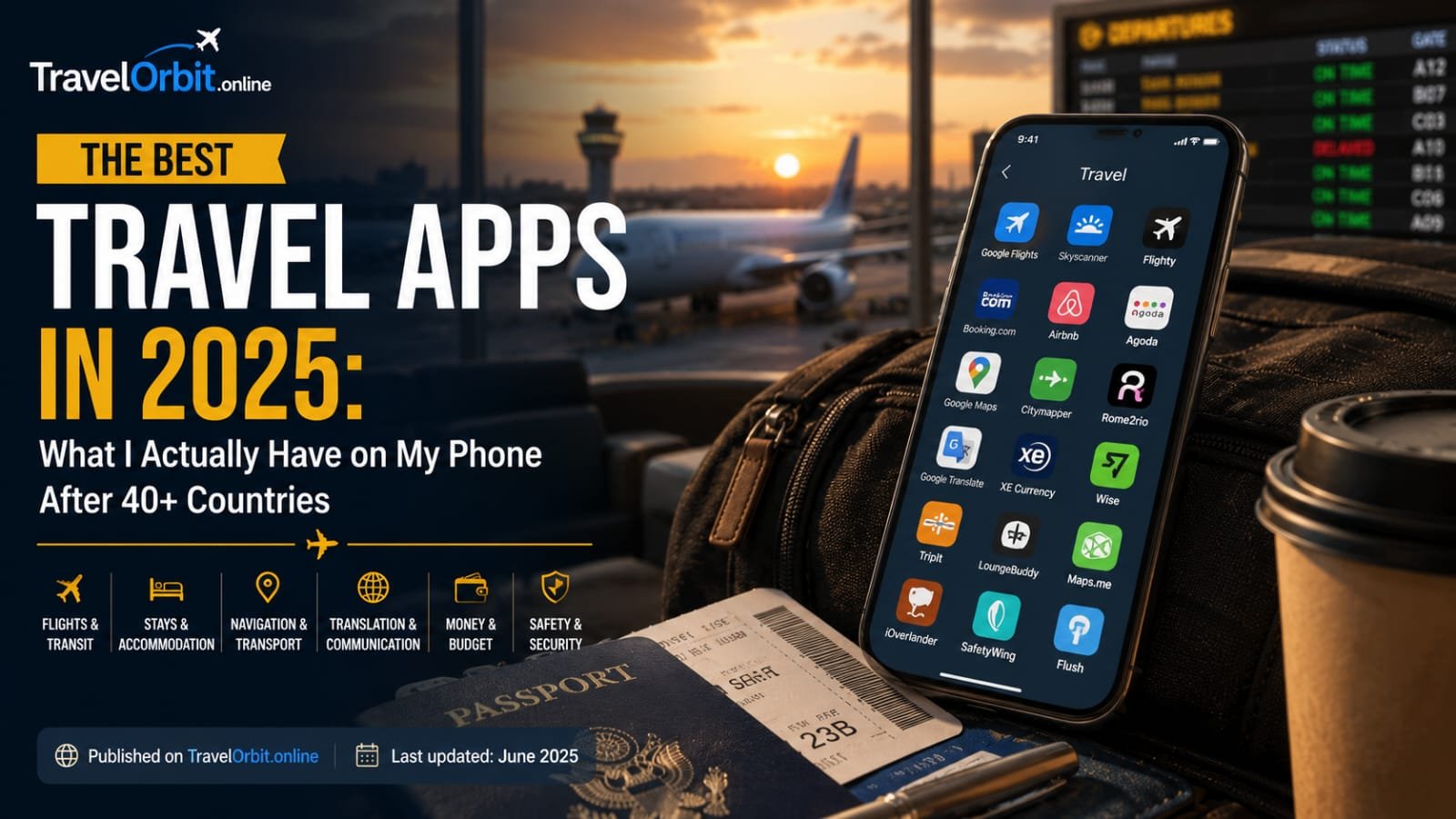
My phone’s home screen tells the story of how I actually travel, not how travel blogs say I should. There’s no shortage of “50 must-have travel apps” listicles online, and most of them are padded with apps nobody actually opens after the first trip. This isn’t that list.
These are the apps that have survived repeated deletions, that I’ve reinstalled before every single trip for years, and that have genuinely changed how I move through unfamiliar places. I’ve organized them by what they actually solve, because the right app at the right moment is worth more than a long list of mediocre ones.
Part 1: Getting There — Flights and Transit Apps Google Flights — Still Unbeaten for Search
Despite the constant churn of flight comparison startups, Google Flights remains the most useful tool for finding and tracking fares. The calendar heat-map view shows price fluctuation across an entire month at a glance, the “track prices” feature emails you when fares drop, and the Explore map lets you search “anywhere” from your home airport within a budget range.
What it doesn’t do well: actually booking. Google Flights routes you to the airline or an OTA for the final purchase, which is fine — just don’t expect a one-click checkout.
Skyscanner — The Best Backup Search
I run nearly every search through both Google Flights and Skyscanner because they occasionally surface different fares, particularly for budget carriers that don’t always show up in Google’s index. Skyscanner’s “Everywhere” destination search is genuinely useful for travelers who are flexible on where they’re going, not just wh
Flighty — Real-Time Flight Tracking That Actually Works
Flighty (iOS) gives more accurate, faster gate change and delay notifications than airline apps themselves. It pulls data from multiple sources including air traffic control feeds, so you frequently know about a delay before the airline announces it. For frequent flyers, the paid tier (which includes detailed delay prediction) consistently pays for itself in avoided stress.
Citymapper — Public Transit Solved
In cities where Citymapper operates (most major global cities), it is simply the best transit app available — better than Google Maps for complex multi-modal journeys involving buses, trains, ferries, and walking. It tells you which subway car to board to be closest to your exit at the destination station, which sounds like a small thing until you’re rushing through Tokyo Station during rush hour.
Rome2Rio — Planning Multi-Modal Journeys
For figuring out how to get from one city to another when multiple options exist (train, bus, flight, ferry), Rome2Rio aggregates all the options with approximate pricing and duration. It’s not always perfectly accurate on price, but as a planning tool to understand your options, it’s excellent.
Part 2: Navigation and Offline Maps
Google Maps — The Foundation
Google Maps remains the single most essential travel app for most destinations. The feature most travelers underuse: downloading offline maps. Before any trip, search your destination, tap your profile icon, go to “Offline maps,” and download the area. This lets you navigate, search for places, and get walking directions without any data connection — invaluable when you’re on a budget SIM plan or in an area with poor signal.
Maps.me — Better for Remote Areas
For destinations with less developed digital infrastructure — rural Southeast Asia, parts of Africa, mountain trekking routes — Maps.me often has more detailed offline data than Google Maps, including hiking trails and smaller paths that Google doesn’t map. It’s built specifically for offline use and includes useful layers like ATMs, pharmacies, and points of interest.
Organic Maps — The Privacy-Focused Alternative
A newer, open-source alternative to Maps.me with similarly strong offline functionality and no data tracking. Worth having as a backup, particularly for hikers and cyclists who appreciate its detailed trail data.
Part 3: Language and Communication
Google Translate — Indispensable, With One Crucial Feature
Google Translate’s camera translation feature — point your phone at a menu, sign, or document and see translated text overlaid in real time — has fundamentally changed travel in countries where you don’t read the script. Download offline language packs before you travel (Settings > Offline translation) so this works without data.
The conversation mode, which translates spoken conversation back and forth between two languages in near real-time, is remarkably good for basic transactional conversations — ordering food, asking directions, simple negotiations.
DeepL Better Quality for Written Translation
For anything beyond basic phrases — translating a longer message, understanding a detailed email or document — DeepL consistently produces more natural, accurate translations than Google Translate, particularly for European languages. Worth having both apps and using DeepL when nuance matters.
Duolingo — Worth Starting Before You Go
Learning even basic phrases before a trip changes how locals respond to you. Duolingo’s gamified structure makes this approachable even for travelers who think they’re bad at languages. Two to three weeks of daily ten-minute sessions before a trip genuinely moves the needle on basic competence.
Part 4: Money and Payments
Wise — The Best Travel Money App
Wise (formerly TransferWise) provides a multi-currency debit card with genuinely excellent exchange rates — typically the real mid-market rate plus a small transparent fee, versus the 3-5% markup most banks apply silently. You can hold balances in dozens of currencies and the card works for both purchases and ATM withdrawals worldwide.
Revolut — Strong Alternative With More Features
Revolut offers similar multi-currency functionality with additional features like spending analytics, budgeting tools, and crypto if that’s relevant to you. Free tier ATM withdrawals are capped monthly; paid tiers remove or raise the cap.
XE Currency — Quick Reference Conversion
For quick mental math on prices while shopping or eating out, XE Currency is a simple, reliable, ad-light currency converter that works offline once you’ve loaded current rates.
Splitwise — Essential for Group Travel
For any trip involving shared expenses among multiple people, Splitwise eliminates the awkward mental math and spreadsheet tracking of who owes whom. Enter expenses as they happen, and it calculates the simplest way to settle up at the end of the trip.
Part 5: Accommodation and Booki
Booking.com — Best for Range and Flexibility
Despite some criticism of its business practices, Booking.com remains the most comprehensive accommodation search tool, with the widest range of property types, generally flexible cancellation policies, and a loyalty program (Genius) that provides modest but real discounts after a few stays.
Hostelworld — Still the Best for Hostels Specifically
For backpacker-style travel and hostel-specific search, Hostelworld has more detailed hostel-specific filtering (dorm size, atmosphere ratings, social events) than general booking platforms.
Airbnb — Best for Longer Stays and Local Living
For stays of a week or more, or for travelers who want a kitchen, laundry, and residential neighborhood experience, Airbnb generally offers better value than equivalent hotel stays, particularly with the weekly/monthly discount that many hosts apply.
Hotel Tonight — The Spontaneity App
For last-minute bookings (same day to a few days out), Hotel Tonight regularly surfaces significantly discounted rates at quality hotels with unsold inventory. Particularly useful for spontaneous travelers or those changing plans mid-trip.
Part 6: Local Discovery and Experiences
Google Maps (Again) — For Reviews and Discovery
Beyond navigation, Google Maps’ review and photo database is one of the best tools for discovering restaurants and points of interest as you walk through a neighborhood. The “what’s nearby” exploration feature is excellent for spontaneous discovery.
TripAdvisor — Still Useful Despite Its Reputation
Many experienced travelers dismiss TripAdvisor as overrun with fake reviews and tourist-trap recommendations — and there’s truth to that. But for checking opening hours, current closures, and getting a baseline sense of an attraction before committing time to it, it remains a useful reference tool.
GuruWalk and Free Tours by Foot — Finding Free Walking Tours
These platforms aggregate free (tip-based) walking tours across hundreds of cities worldwide. An excellent way to orient yourself in a new city on day one and get local guide recommendations for the rest of your stay.
Eatwith and Traveling Spoon — Authentic Food Experiences
For travelers wanting to eat in a local’s home or take a cooking class with a genuine local host rather than a tourist-oriented restaurant, these platforms connect travelers with vetted local hosts. The experience quality and cultural exchange value is significantly higher than typical “food tour” products.
Part 7: Safety and Health
TravelSafe / Smart Traveler (Government Apps)
Most national governments offer a registration and alert app (STEP in the US, Smartraveller in Australia) that provides destination-specific safety alerts and registers your trip so your embassy can reach you in an emergency.
bSafe — Personal Safety Alerts
For solo travelers, particularly women traveling alone, bSafe allows you to set up trusted contacts who can track your location during specific journeys and trigger an alert with one tap if something feels unsafe.
iExit / Gas Buddy — For Road Trips
For driving trips, these apps help locate amenities, fuel prices, and rest stops along your route — particularly useful for long American road trips where distances between services can be significant.
Part 8: Photography and Memory-Keeping
Lightroom Mobile — Editing on the Go
The free version of Lightroom Mobile provides professional-grade editing tools directly on your phone, syncing across devices if you have a subscription. For travelers who want their photos to look their best without carrying a laptop, this is the single best photo editing tool available on mobile.
Polarsteps — Automatic Trip Journaling
Polarsteps tracks your route automatically via GPS and lets you add photos and notes along the way, generating a beautiful visual map and journal of your trip that you can share with friends and family in real time, or look back on later. Many long-term travelers use this as their primary trip documentation tool.
Day One — For Genuine Reflection
For travelers who want a more private, text-focused journal rather than a shareable trip map, Day One is an excellent journaling app with photo attachment, location tagging, and reliable cloud backup.
## Building Your Own Travel App Kit
You don’t need all of these. The right combination depends on your travel style — a backpacker prioritizing budget and social connection needs a different kit than a family doing a two-week resort vacation, who needs a different kit than a solo female traveler prioritizing safety features.
The principle that matters more than any individual app: download and set up everything you’ll need *before* you leave home, with offline functionality configured where possible. The worst time to discover you need an app is when you’re standing in an unfamiliar airport with no data signal, trying to figure out how to get to your hotel.
Test your core apps — maps, translation, payment — at home before you travel. Make sure offline maps are actually downloaded, not just installed. That ten minutes of preparation saves hours of friction once you’re on the ground.
Find more travel planning resources, gear guides, and destination tips at [TravelOrbit.online](https://travelorbit.online).
Tags:best travel apps 2026, must have travel apps, travel apps for international travel, best apps for solo travel, offline maps for travel, travel planning apps, best apps for backpacking, travel money apps, apps for traveling abroad, essential travel apps